Running ServiceX Locally
This guide explains how to run ServiceX locally for development purposes using minikube and Overmind.
Once complete:
- Changes to your local ServiceX checkout will be immediately reflected in your running app pods.
- The
minikubemount process and separate port forward processes are collected into a single Procfile and executed via Overmind.
To enable local changes, make sure the values file you are using contains this definition. (Note if the environment attribute is not set specifically to "dev", the mountLocal and reload features will not be available regardless of their values.)
app:
  environment: dev
  mountLocal: true
  reload: true
Prerequisites
- Minikube or similar Kubernetes cluster
- Helm
Setup Instructions
Setup CERN Grid Certificate
- Go to your CERN grid account: https://ca.cern.ch/ca/
- Click New Grid User certificate and walk through the flow to create a cert
- Download your cert as a .p12 file. You will need to create a PEM key and cert from this and place them in your .globus file in your home directory:
bash openssl pkcs12 -nocerts -in ./myCertificate.p12 -out ~/.globus/userkey.pem openssl pkcs12 -clcerts -nokeys -in ./myCertificate.p12 -out ~/.globus/usercert.pem - Install the CLI to a Python environment. Note you will need to force upgrade the OpenSSL library as shown below:
bash
   pip install servicex-cli
   pip install PyOpenSSL==25.0.0
   servicex --namespace default init --cert-dir ~/.globus
Add Helm Values File
Create a file in the servicex helm chart directory (helm/servicex) called local-values.yaml:
app:
  environment: dev
  mountLocal: true
  reload: true

postgres:
  enabled: true

objectStore:
  publicURL: localhost:9000
  publicClientUseTLS: false
  useTLS: false

gridAccount: (cern user id)

x509Secrets:
  vomsOrg: atlas
Add Helm Chart Repository
Add the SSL HEP helm chart repository:
helm repo add ssl-hep https://ssl-hep.github.io/ssl-helm-charts/
helm repo update
Install Overmind
Install Overmind following the documentation at: https://github.com/DarthSim/overmind
Installation requirements:
- Install tmux (if not already installed):
- macOS: brew install tmux
- Ubuntu: sudo apt install tmux
- Install ruby:
- macOS: brew install ruby
- Ubuntu: sudo apt install ruby
- Install Overmind: gem install overmind
Note: When installing Overmind via gem, you may need to use the --user-install argument. If you enable this option, Overmind will be installed in your home directory. You will need to locate it and make sure it is available in your PATH.
Configure and start Overmind
Navigate to your ServiceX checkout (where the Procfile is located). You can now start overmind by setting and the required environment variables:
- LOCAL_DIR: Path to your ServiceX directory
- CHART_DIR: Path to your helm chart directory (you can use the helm charts in the base ServiceX repository)
- VALUES_FILE: Path to your helm values file (can be absolute or relative to $CHART_DIR)
Example command to start Overmind:
VALUES_FILE=local-values.yaml LOCAL_DIR=/Users/mattshirley/work/ServiceX/ CHART_DIR=$LOCAL_DIR/helm/servicex overmind start
Kill the Overmind process with Ctrl+C and uninstall the helm deployment: helm uninstall servicex.
Create Convenience Aliases (Optional)
Adding aliases for these start up commands makes it very simple to start and stop the servicex helm installation.
To do this, open your ~/.bashrc and add the three environment variables previously discussed along with the following alias commands:
LOCAL_DIR=/Users/mattshirley/work/ServiceX/
CHART_DIR=$LOCAL_DIR/helm/servicex
VALUES_FILE=local-values.yaml
# HELM_INSTALLATION_NAME=servicex-local # this is optional, will default to servicex

alias servicex-up='cd $CHART_DIR && overmind start'
alias servicex-down='helm delete "${HELM_INSTALLATION_NAME:-servicex}"'
alias servicex-start='servicex-up; servicex-down;'
alias servicex-upgrade='cd $CHART_DIR && helm upgrade -f $VALUES_FILE "${HELM_INSTALLATION_NAME:-servicex}" .'
After adding the aliases, refresh your .bashrc file:
source ~/.bashrc
Usage
- Make sure
minikubeis running:minikube start - Start ServiceX:
servicex-start - Upgrade ServiceX:
servicex-upgrade - Stop ServiceX: Kill the overmind process (this will also uninstall the
servicexhelm deployment) - Note: Minikube will continue running after stopping ServiceX
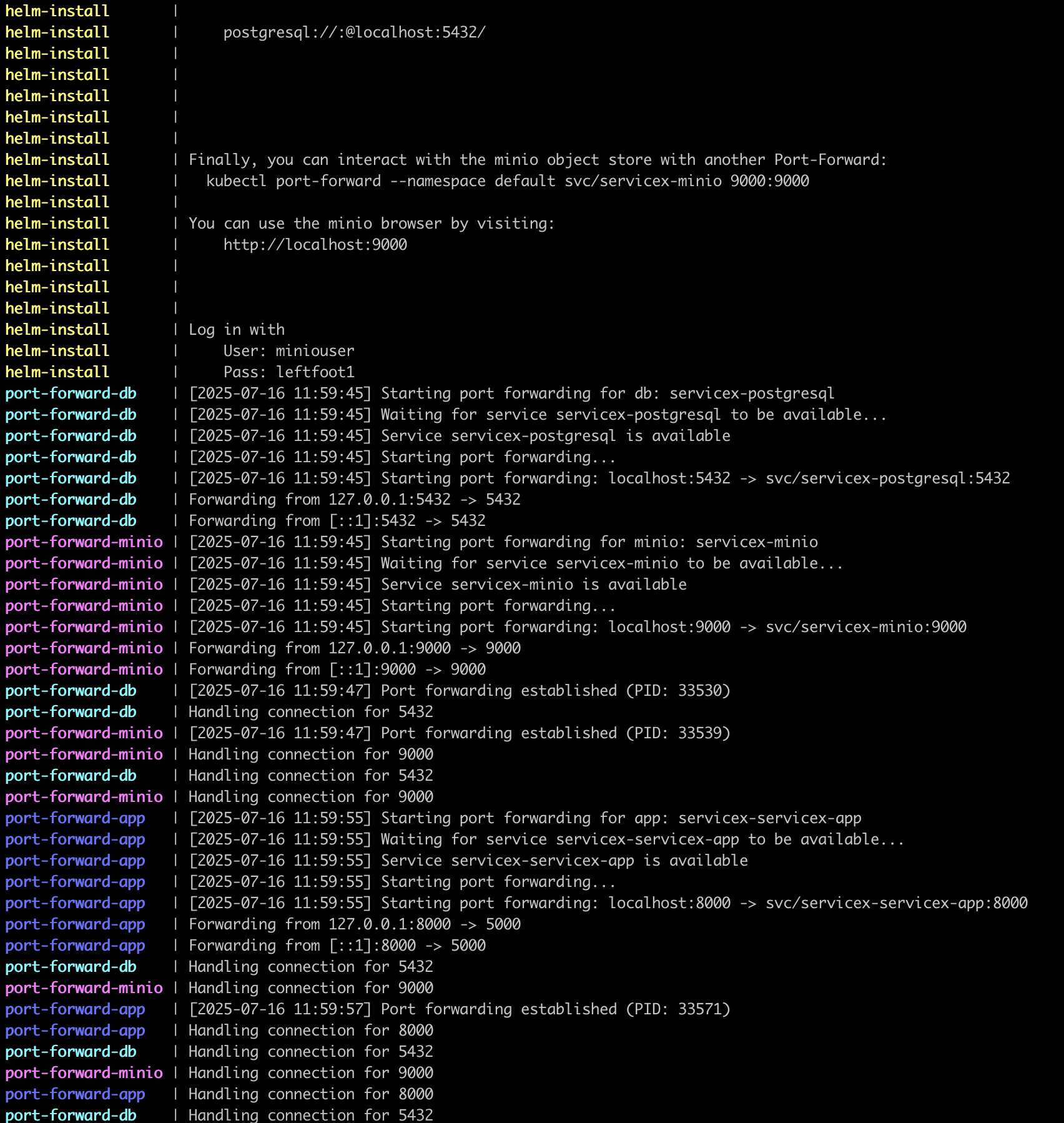
Overmind will start up its processes, spit some noise onto the screen (including the servicex helm installation message) for twenty or thirty seconds. Eventually it will quiet down and only output port forwarding connections.